Travel itinerary planner
A travel itinerary planner that does the clockwork
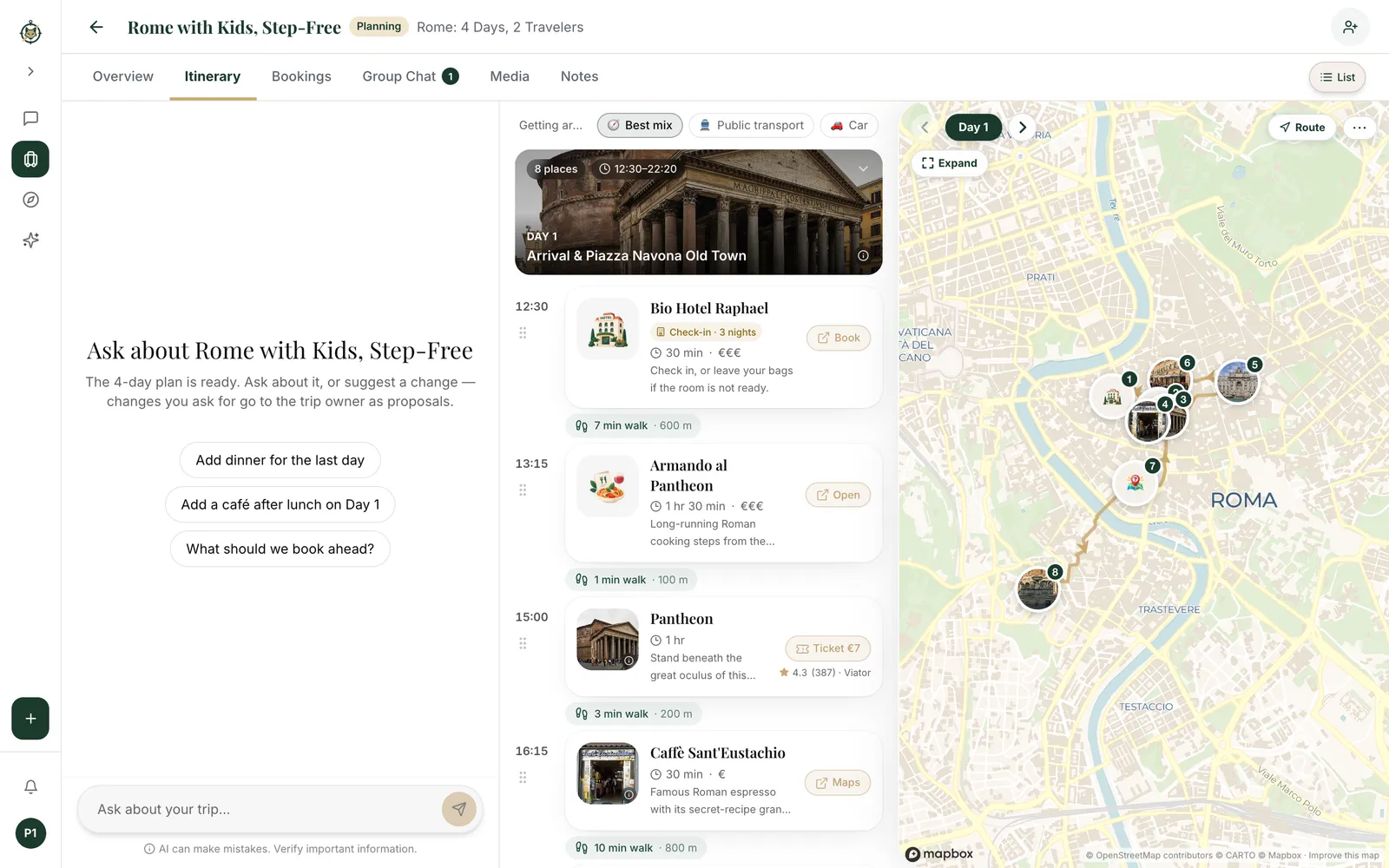
A good itinerary isn't a list of sights. It's a day that works: stops in a sensible order, time to enjoy each one, the walk between them, and lunch near where you'll be at lunchtime. Wanderfox AI builds that for every day of your trip — then lets you change any of it.
Start planning: describe your trip
How it works
- Set the trip — Destinations, dates and pace — or start from a ready-made itinerary.
- Shape each day — Move, add or remove stops by hand or by asking; times and travel update.
- Take it with you — Share the itinerary, open it on your phone on the day, or export a PDF.
Days paced by the clock
Every stop gets a time and a realistic amount of time to spend there, with the travel between stops worked in and meals placed where you'll actually be. Mornings start when you want them to; days don't end with five museums back to back.
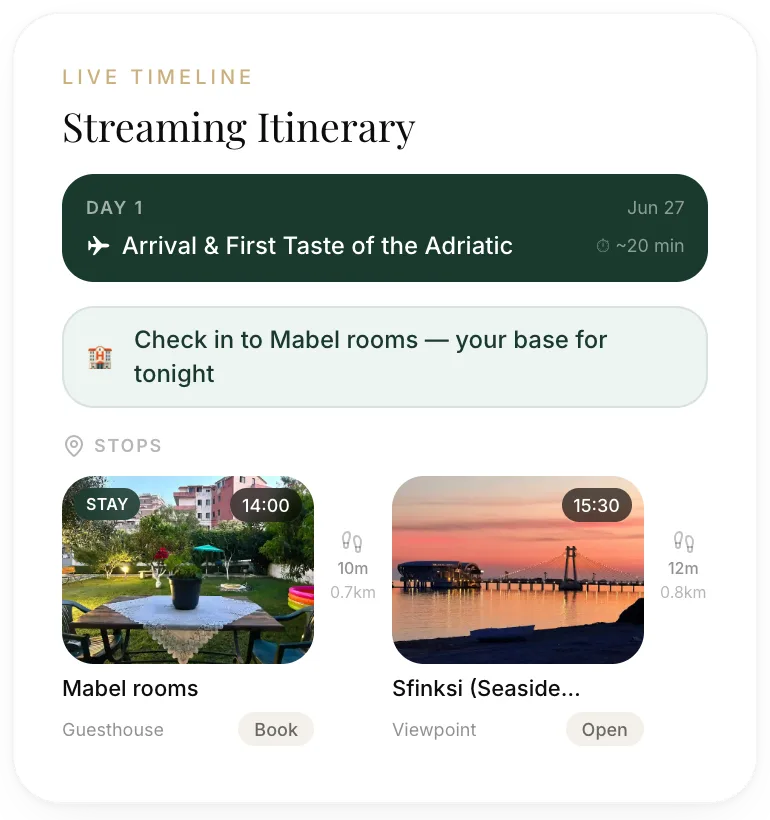
Multi-city trips, with the travel days included
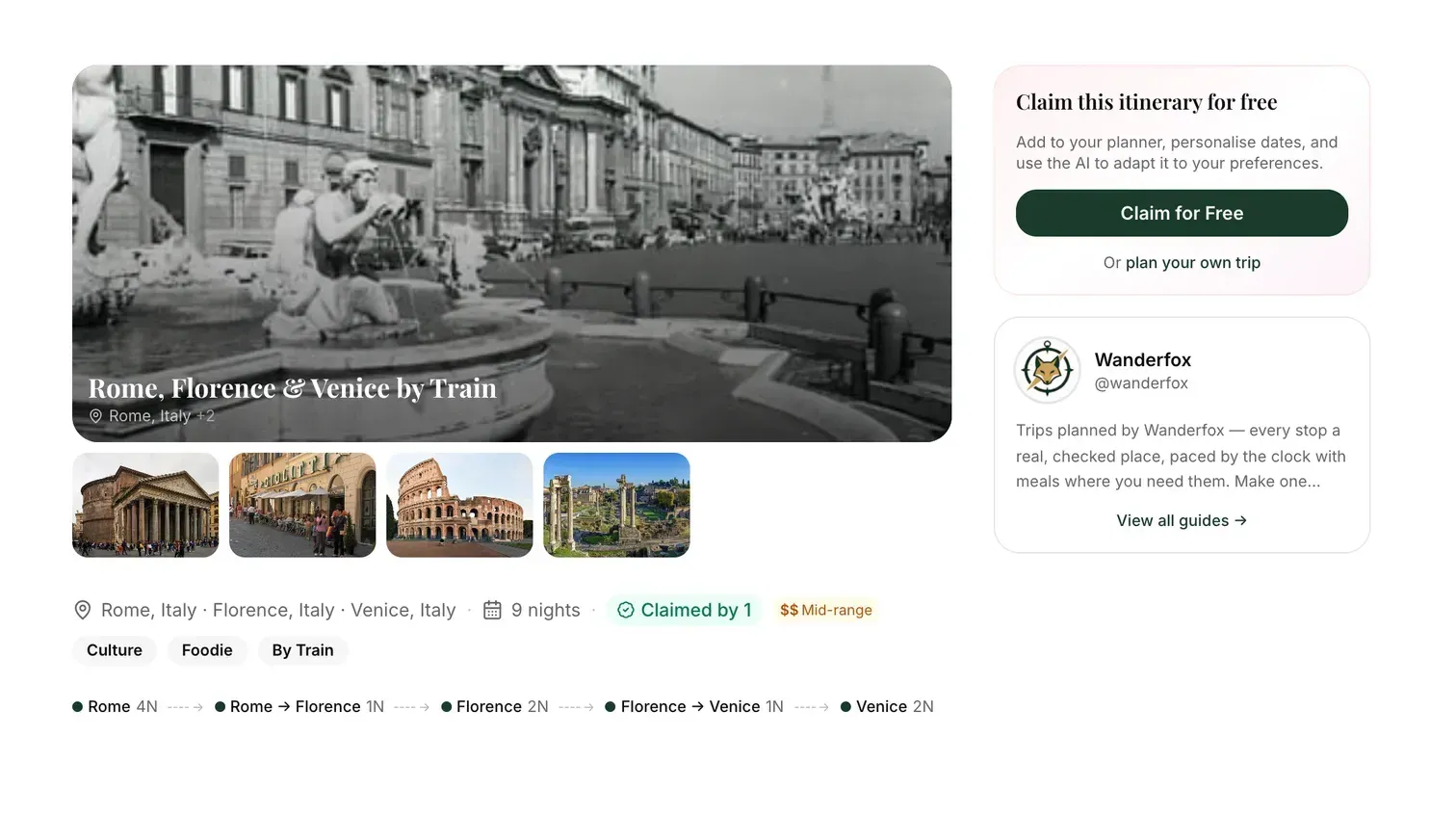
Planning Rome, Florence and Venice in ten days? The itinerary splits the nights between cities, puts the train days where they belong and plans each city in its own right. Change the cities or the dates later and the plan follows.
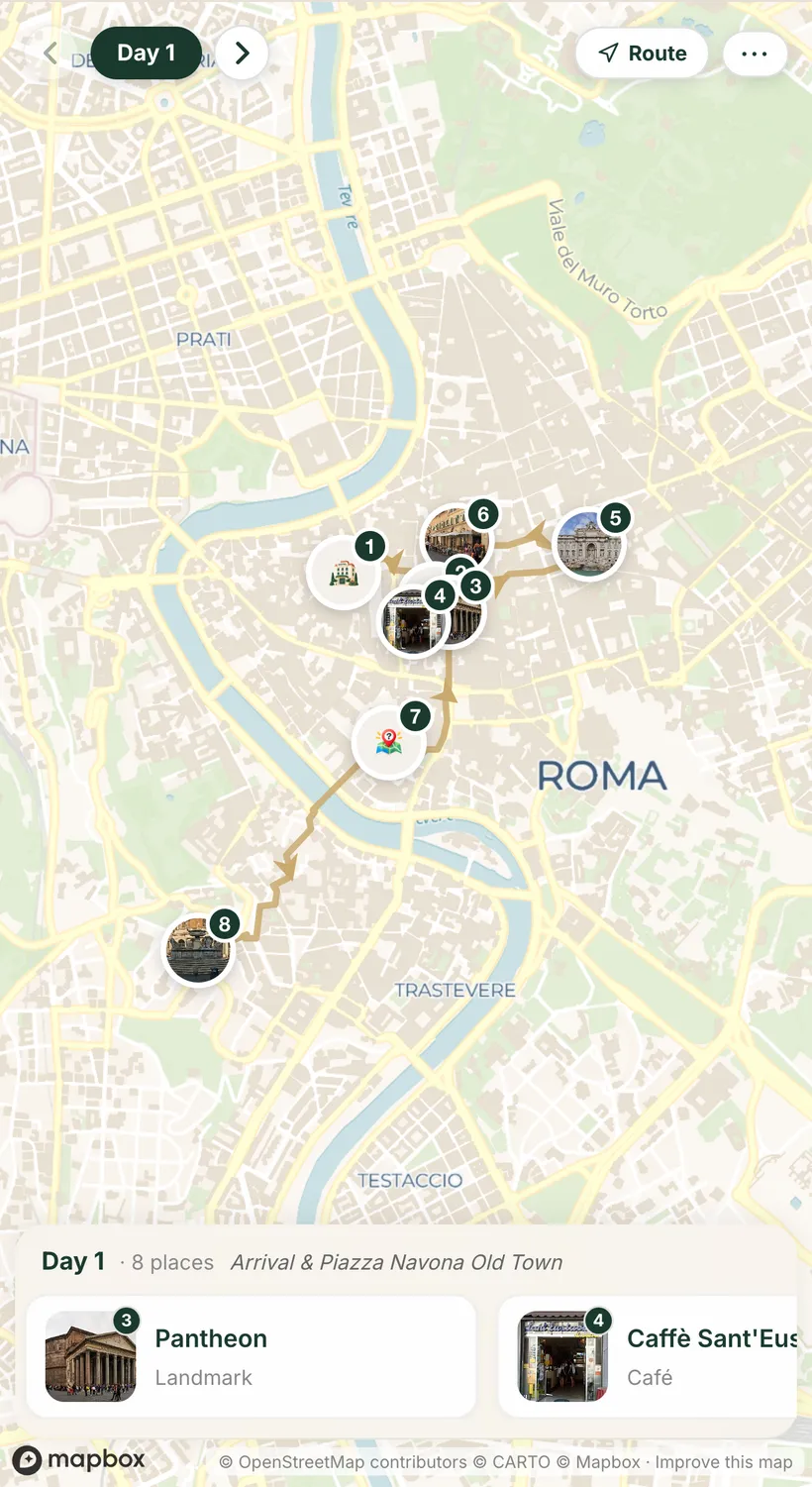
Mapped, with travel times between stops
See each day on the map with its stops in order and the time it takes to get from one to the next. A day that crosses the city twice is obvious at a glance, and easy to fix.
Edit any stop, in plain words or by hand
Add a stop from the places database, remove one, or move it to another day. Or just ask: "move the Uffizi to day 6", "swap dinner on the last night for something by the water". Only the part you asked about changes.
Start from a ready-made itinerary
Don't want to start from a blank page? Pick an itinerary planned by Wanderfox or a travel creator, make it yours, and adapt it to your dates, pace and interests.
Save places as you discover them
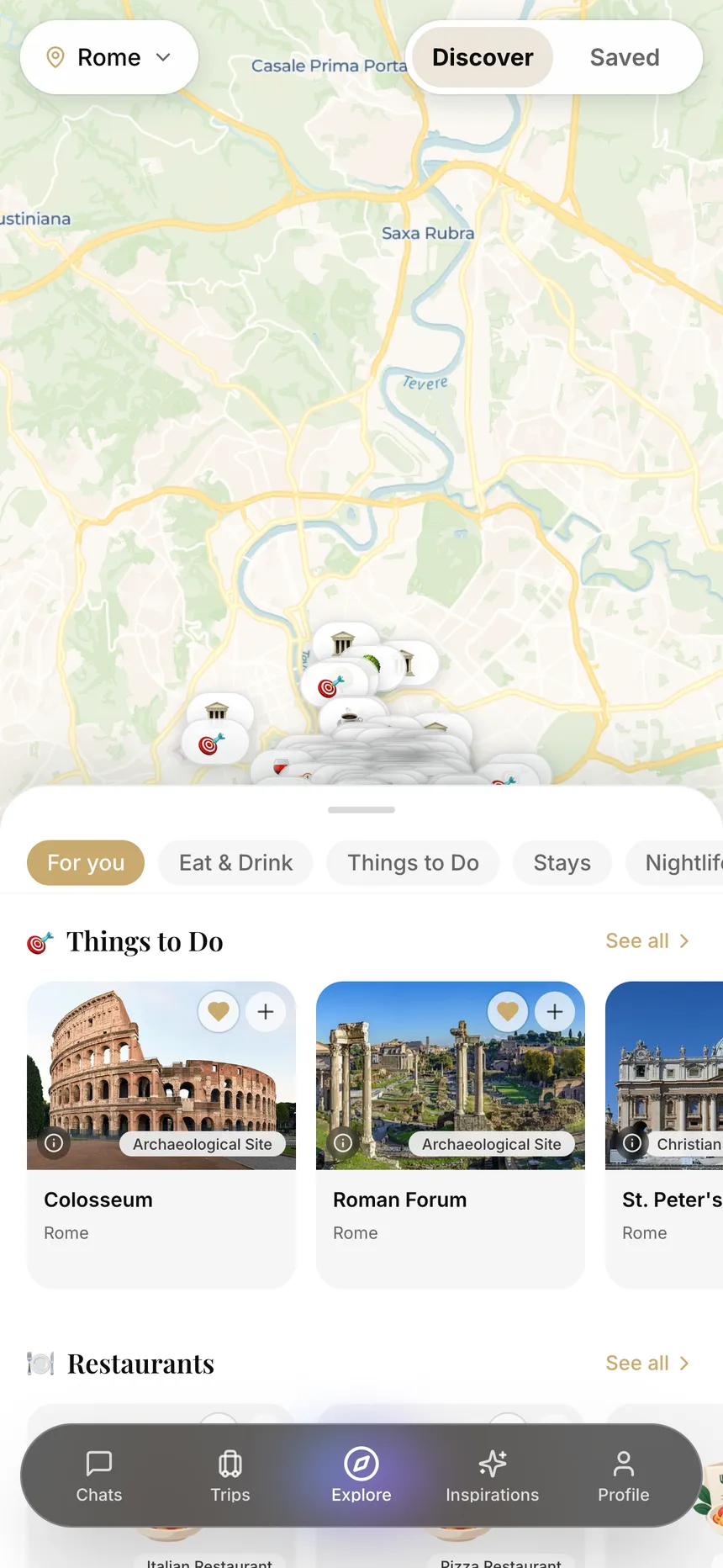
Explore restaurants, cafés, sights and things to do in any city on a live map, save the ones you like, and add them straight to a day of your trip.
How it compares
| Feature | Wanderfox AI | Spreadsheet | Notes app or doc |
|---|---|---|---|
| Times and durations for each stop | Yes | Typed by hand | Typed by hand |
| Travel time between stops | Yes | Looked up by hand | Looked up by hand |
| A map of each day | Yes | No | No |
| Real places with photos | Yes | Links | Links |
| Plan rebuilt when you change cities or dates | Yes | No | No |
| Share with others and export a PDF | Yes | Yes | Yes |
Ready-made trips. Yours to tweak.
- Bangkok on a Street-Food Budget — 4-day itinerary · Bangkok, Thailand · by Wanderfox · Free
- Sydney for First-Timers — 4-day itinerary · Sydney, Australia · by Wanderfox · Free
- Mexico City: Tacos, Murals & Pyramids — 4-day itinerary · Mexico City, Mexico · by Wanderfox · Free
- Ubud: Rice Terraces, Temples & Slow Days — 5-day itinerary · Ubud, Indonesia · by Wanderfox · Free
- Plant-Powered Tokyo — 5-day itinerary · Tokyo, Japan · by Wanderfox · Free
- Rome, Florence & Venice by Train — 10-day itinerary · Rome, Italy · Florence, Italy · Venice, Italy · by Wanderfox · Free
- Rome with Kids, Step-Free — 4-day itinerary · Rome, Italy · by Wanderfox · Free
- Reykjavik & the Rift Valley by Car — 3-day itinerary · Reykjavik, Iceland · by Wanderfox · Free
- Porto Beyond the Postcards — 3-day itinerary · Porto, Portugal · by Wanderfox · Free
- Lisbon, One Bite at a Time — 3-day itinerary · Lisbon, Portugal · by Wanderfox · Free
Frequently asked questions
How do I make a travel itinerary?
Fix your dates and the places you want to stay, decide on a pace, list the few things you don't want to miss, then build each day around them: a morning and an afternoon anchor, meals nearby, and travel time in between. Wanderfox AI does this for you from a one-line description, and you edit from there.
How many things should I plan per day?
Usually two or three main sights plus meals and a few smaller stops. Big museums or day trips take half a day on their own. Leave some slack, especially on arrival days and when travelling with kids.
Can I plan a multi-city itinerary?
Yes. Add several cities and Wanderfox AI splits the nights, includes the travel days, and plans each city separately. You can change the cities or the trip dates later.
Can I add my own places?
Yes. Add any place from the places database to any day, save places from Explore, or ask the AI to fit something in.
Can I export or print my itinerary?
Yes, as a PDF. You can also share the trip with friends, who see it live as it changes.
Is the itinerary planner free?
Yes. Planning and editing itineraries is free; there is a daily allowance of AI messages.
Every day planned. Every stop real.
Tell us where you're going and how you like to travel.